
ARC FORGE
Define the robot.
Iterate in software.
Define your robot’s embodiment and digital twin in software: its geometry, joints, grippers, sensors, limits, and control interfaces. Iterate quickly on the design, test changes in simulation, and carry improvements into training and deployment.
AUTONA ROBOT CLOUD / ROBOT EMBODIMENT & DIGITAL TWINS
- START WITH
- Robot models, gripper and sensor specs, control limits
- WORK TOWARD
- A versioned robot embodiment and digital twin
- BUILT FOR
- Robot designers and integration teams
Edit the robot. Iterate on its twin.
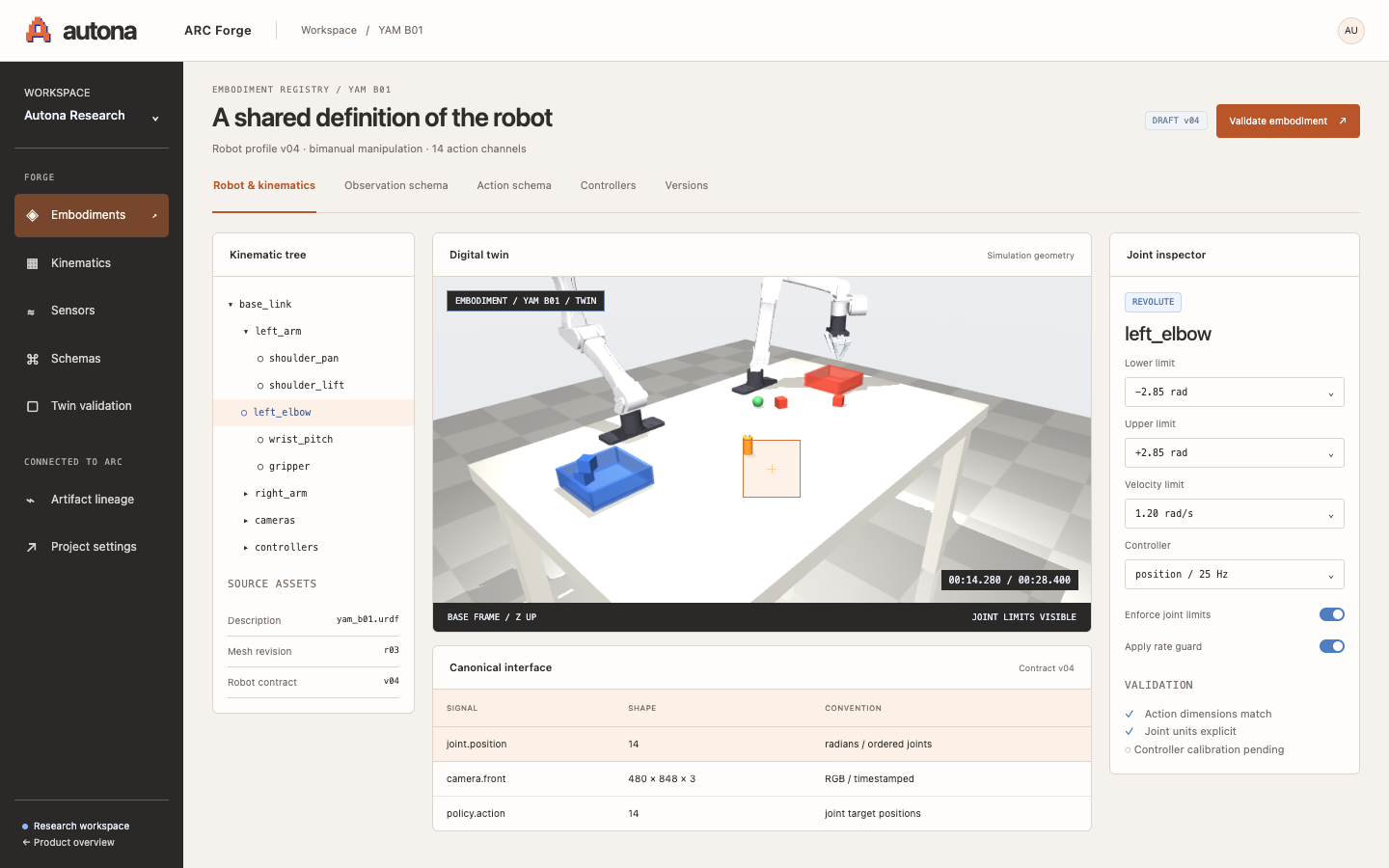
A software workspace for the robot’s body, joints, sensors, control limits, and input/output definitions, alongside its digital twin.
A faster loop
for robot design.
Change a gripper, move a camera, or adjust joint limits. Update the digital twin, test the revised setup in simulation, and version the improvements for training and deployment.
Define the embodiment
Import the robot’s geometry and joints, then configure grippers, sensors, joint limits, and control capabilities.
Specify observations and commands
Describe the camera images and sensor readings the robot provides, the commands it accepts, and the units and rates for each interface.
Iterate on the digital twin
Try revised configurations in ARC Worlds, compare outcomes, and publish improved robot versions for training and deployment.
Define your robot in Forge.
Tell us about your robot, your team, and the problem you want to solve.