
ARC BRIDGE
Connect the model
to the robot.
Connect a trained model to a robot’s sensors and controls. Create custom drivers on the fly to connect hardware with other hardware or software. Format camera images and robot state for the model, translate its outputs into robot commands, and package the integration for deployment.
AUTONA ROBOT CLOUD / MODEL-TO-ROBOT INTEGRATION
- START WITH
- Trained model, Forge robot definition, robot control API
- WORK TOWARD
- Model, hardware adapter, and runtime settings in one deployment bundle
- BUILT FOR
- Hardware and integration teams
Map the model to the machine.
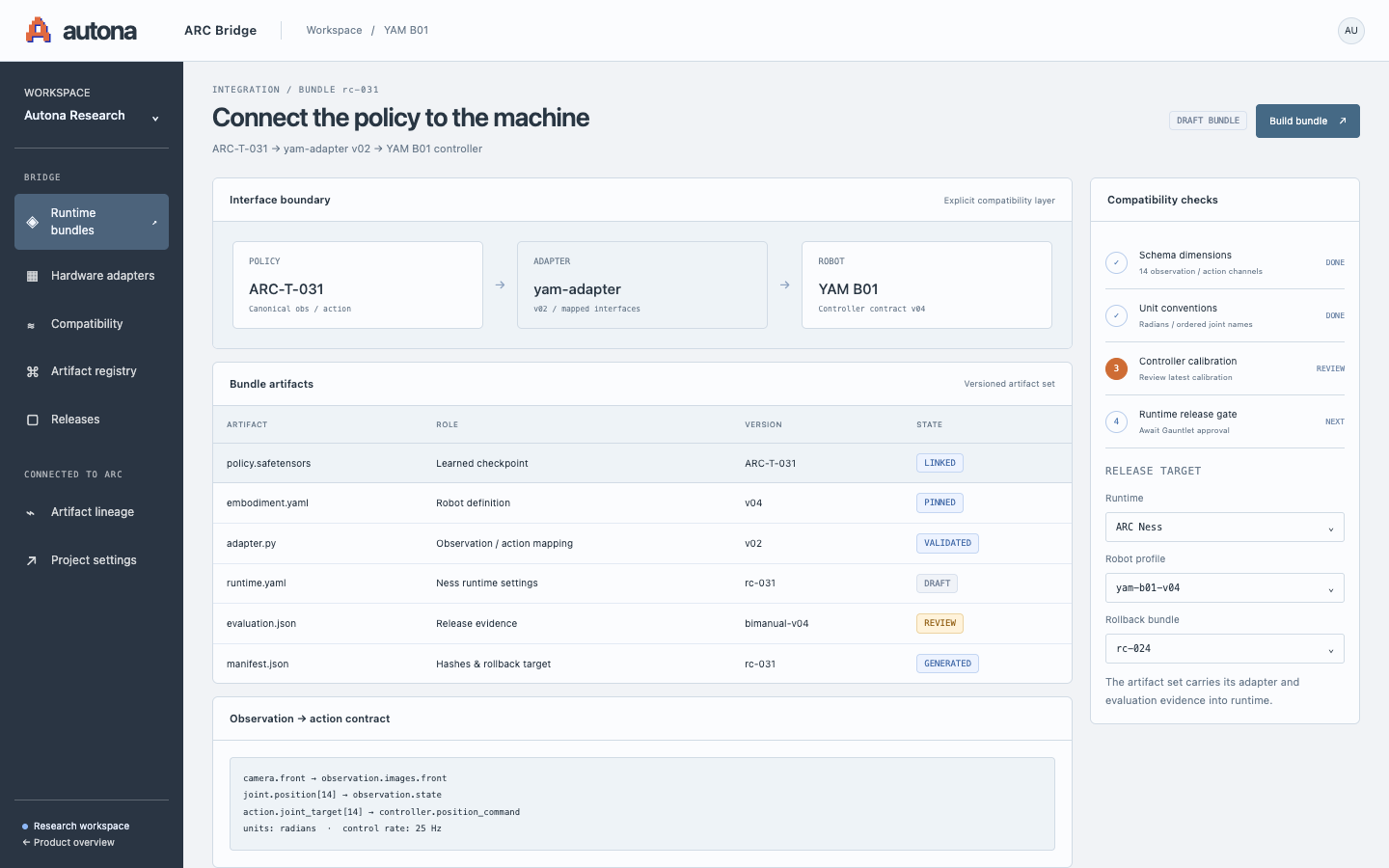
Connect sensor readings to model inputs and model outputs to robot commands. Package the adapter, model, and runtime settings together.
Translate inputs.
Map commands.
A model and a robot may use different image formats, joint orders, units, or update rates. Forge describes the robot’s interface; Bridge implements the translation and packages it for ARC Ness to run.
Prepare model inputs
Connect camera images, joint positions, and other readings to the model’s expected input format.
Map actions to controls
Convert model outputs into commands the robot accepts. Check joint ordering, units, ranges, and update rates against the Forge definition.
Package for the runtime
Bundle the model, adapter, robot definition, runtime settings, and Gauntlet evaluation results for execution in ARC Ness.
Connect your model to your robot.
Tell us about your robot, your team, and the problem you want to solve.